Newsletter Subscribe
Enter your email address below and subscribe to our newsletter

Enter your email address below and subscribe to our newsletter
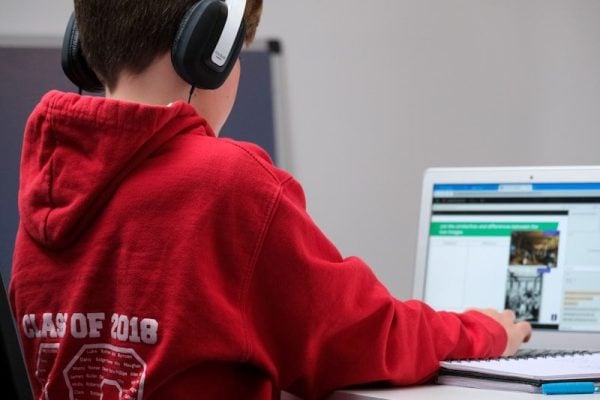
Winter storms can pop up out of nowhere, throwing a wrench into normal school routines and sending everyone scrambling to set up remote schooling. When schools announce a sudden switch to at-home classes because of dangerous weather, families have to adapt fast—sometimes overnight—and somehow keep everyone sane and learning.
Honestly, the trick is building a structure that keeps stress low for both parents and kids, while still moving forward academically. Here’s a set of practical, real-world strategies for dealing with the technical, environmental, and behavioral curveballs of remote schooling during a weather emergency.
This guide dives into key preparation, smart scheduling, and ways to support student well-being when winter weather turns your home into a classroom. The aim? Keep kids engaged and learning, without overwhelming parents who might be juggling their own work-from-home chaos.
When your school suddenly calls for remote schooling thanks to a winter storm, the first thing on your mind is probably, “Where the heck is my kid going to work?” Having a dedicated spot signals to your child’s brain, “Hey, it’s school time,” even though you’re not in a classroom.
Start by picking a specific area at home for learning. It doesn’t need to be fancy—a corner of the dining table, a stretch of kitchen counter, or a cleared-off section of their bedroom works just fine.
Consistency helps a ton. If your child uses the same spot every day, they’ll naturally shift into school mode when they sit down.
Natural light is a game-changer for alertness and eye comfort. If you can, set up near a window. If daylight is in short supply, grab a desk lamp with adjustable brightness—just avoid blinding computer glare.
Temperature is sneakily important. Too warm, and your kid’s nodding off. Too cold, and they’re distracted. Aim for a comfy, Goldilocks zone to help them focus.
Before class starts, clear away anything that screams “playtime”—toys, games, phones, tablets (unless they’re for schoolwork). A clean desk with just the essentials keeps distractions at bay.
Keep all the must-haves—pencils, paper, headphones, chargers—close by. Trust me, if your kid has to get up and hunt for stuff mid-class, focus goes out the window.
Think about noise. Siblings roughhousing, TV blaring, or kitchen clatter can mess with learning. Try to pick a spot away from the action, if possible.
If quiet is impossible, a white noise machine or some soft, lyric-free music can help drown out chaos. Some kids even focus better with a little background hum.
Set some ground rules with the rest of the family. Everyone should know that when school’s in session, the learning area is off-limits for loud activities (at least until break).
Seating matters. A chair with back support beats the couch or bed any day—otherwise, you’ll have slouching, fidgeting, and sleepy students. Make sure feet touch the floor and arms rest comfortably for typing or writing.
Lift the computer screen to eye level—stack books or use a stand if you have to. No one wants a sore neck after a day of Zoom classes for remote schooling.
Cut down on digital distractions. Shut unnecessary browser tabs and apps before class. Set devices to “do not disturb” so notifications don’t pull your kid away.
If your child faces a wall, check what’s in their line of sight. Keep it simple—maybe a schedule or a motivational quote, but skip the clutter.
For little ones who need more oversight, place their workspace where you can peek in without hovering. Open-plan living rooms can work if you strike the right balance between supervision and independence.
Double-check that Wi-Fi is strong in your chosen spot. If not, try a wired connection for a rock-solid signal—nothing kills a lesson faster than glitchy video.
Use bins or a small shelf to keep textbooks, notebooks, and supplies together. That way, setting up in the morning and packing up at night is quick and painless.
Your learning space doesn’t have to be permanent—just keep it consistent during remote learning days. If you need the table for dinner, just pack up and reset the next morning. Kids thrive on routine, not perfection.
Think about what’s behind your child during video calls. A tidy, neutral background helps them feel confident and avoids any awkward surprises on camera.
Let your child personalize their space with one or two favorite things—a cool pen holder, a tiny plant—but don’t go overboard. Too much “stuff” equals more distractions.
Make a quick setup routine for the start of each day. Have your child check that everything’s ready, their device is charged, and the space is clear. It only takes a minute but makes a big difference in shifting gears to learning mode for remote schooling.
Don’t stress about making it Pinterest-perfect. Your space just needs to help your kid see, hear, participate, and get their work done—nothing more, nothing less.
When remote schooling suddenly lands in your lap, I suggest crafting a schedule that looks a lot like a regular school day. Familiar routines help everyone keep their cool during chaos.
Figure out when your child usually wakes up, starts class, eats lunch, and finishes school. Jot it down—you’ll want to stick as close to the usual routine as possible. It’s not just for the kids; it’s a sanity-saver for parents too.
Stick to the regular wake-up time. Even if the commute is just from bed to table, keeping mornings the same tells your child’s brain, “Yep, still a school day.”
Block out time for each subject or class, matching the school’s schedule. If math runs from 9:00 to 10:00, keep it that way. Kids will know what to expect, and transitions feel smoother.
Breaks aren’t just nice—they’re necessary. Keep mid-morning, lunch, and afternoon breaks in place. These pauses help kids process info and avoid total meltdown by 2 p.m.
Post the schedule somewhere obvious. Tape it near the learning spot or slap it on the fridge. That way, you won’t get peppered with “What’s next?” every five minutes.
Start the day with the same rituals as always—get dressed (yes, out of pajamas), eat breakfast, gather supplies. These little habits reinforce that learning’s still happening, even if the location changed.
Keep lunch and snack times predictable. Regular meals keep energy up and cut down on constant kitchen raids. Prepping food ahead of time helps you stay sane, too.
Set a clear end time. When school’s out, close the laptop and put away supplies. Drawing a line between school and free time helps prevent burnout, especially if remote learning drags on for days.
Some schools run live video classes; others post assignments to do anytime. Adjust your schedule to fit, but keep a backbone of structure so the day doesn’t turn into a free-for-all.
Build in a few minutes between activities. In real school, kids walk between rooms or switch materials—at home, they need those little breaks, too. It’s not just about screens; it’s about mental reset.
If you’re working from home, coordinate schedules so you know when your child needs help and when they can work independently. Planning ahead makes juggling both jobs slightly less wild.
Set alarms or timers for transitions. A simple beep tells your kid it’s time to switch gears, and you don’t have to nag (as much).
Don’t skip special classes—block out time for art, music, or PE, even if the school doesn’t send assignments. Mixing things up keeps the day from feeling like one long Zoom call.
Start and end each day with a quick check-in. In the morning, look over what’s planned. At the end, talk about what went well and what needs tweaking for tomorrow. It’s a good way to catch problems before they snowball.
Stick to the same schedule for every remote day. If winter weather closes school for three days, use the same plan each day. Consistency beats perfection every time.
Be realistic about attention spans. Schedule tough subjects when your child’s most alert—usually earlier in the day. Save easier stuff for later when focus starts to fade.
During breaks, keep screens off. Let eyes and brains rest. Encourage movement or creative play instead of more YouTube.
Tell your child the plan before remote schooling starts. Knowing what’s coming eases anxiety, and kids are more likely to cooperate when they know the drill.
Younger kids might need more hand-holding, while older ones can handle more independence. Adjust your involvement based on your child’s age and how well they manage on their own.
Don’t overload the schedule when remote schooling. Now’s not the time to add extra lessons or projects. Focus on the basics and keep it manageable.
If tech fails or things go sideways, just roll with it and get back to the schedule when you can. Flexibility inside a remote schooling routine is your best friend during stormy days.
When schools suddenly pivot to remote schooling because of a winter storm, my internet connection turns into my lifeline. I need to check my current setup right away so I don’t get cut off during live classes or while grabbing assignments.
The first thing I do is test my internet speed—just to see what I’m actually working with. Most video platforms want at least 3-4 Mbps for a smooth experience, but honestly, I’ll need more if my whole family is online.
If my Wi-Fi feels spotty, I move my workspace closer to the router. Walls and floors kill signals, so sitting in the same room as the router usually helps a ton.
Whenever possible, I plug my device directly into the router with an ethernet cable. Wired connections are just more reliable—they cut out a lot of those annoying glitches that make virtual classes a headache.
If the household bandwidth feels stretched, I talk with my family about who needs the internet when. Streaming, gaming, or big downloads can slow everything down, especially during class time.
I always need a backup plan in case the internet at home goes down. I figure out if I can go to a library, a community center, or maybe a relative’s place for Wi-Fi if things get desperate.
The device I use is just as important as the internet itself. I double-check that my laptop or tablet meets the minimum specs for the school’s platform and any required software.
I test my camera and microphone before my first remote class. Nothing’s worse than realizing your mic doesn’t work when you’re already late to a remote schooling Zoom session.
Keeping my device charged is non-negotiable. I always keep my charger close by so I don’t get booted out of class because my battery dies.
If I don’t have a good device, I reach out to my school right away. Lots of schools have loaner laptops or tablets, and some even offer mobile hotspots for students who need them.
I update my operating system and all the apps I’ll need before class starts. Old software can cause weird compatibility issues or even security problems.
The browser I use matters more than I’d like to admit. I stick with whatever browser my school recommends, since some features just don’t play nice with every browser out there.
Clearing my browser cache and cookies helps keep things running smoothly. If I forget, pages can load slowly or not at all—super annoying during class.
I shut down all the extra apps and browser tabs before class. Too many programs running at once can make my device lag or freeze right in the middle of something important.
Having a backup device—even if it’s just my phone—gives me options if my main device suddenly dies. Not ideal for a whole school day, but it’s better than missing everything.
I like to poke around my school’s learning management system before classes start. Knowing how to submit assignments or find materials makes the whole experience way less stressful.
I make sure all my login info works ahead of time. Getting locked out when class starts? No, thank you.
If I share devices with siblings, my family puts together a schedule so everyone gets what they need for live classes. It’s not perfect, but it helps avoid chaos.
I keep my school’s tech support contact info handy. When something breaks, I want to know exactly who to call so I don’t miss half the lesson.
Creating a special folder for downloads keeps me organized. I need enough storage for assignments and presentations, or else I’ll run out of space at the worst moment.
Restarting my device before school clears out memory and helps everything run better. It’s an easy step, but I forget sometimes—then I regret it.
If I’m using a mobile hotspot or a data-capped plan, I keep an eye on my data usage. Video classes eat up data fast, and I’d rather not run out halfway through the week.
I install any required security software or VPNs my school wants. It’s usually mandatory for certain resources, and it keeps my device safer anyway.
If I keep having tech issues, I let my teachers know. They need to hear about it so we can figure out solutions—otherwise, I just fall behind.
Keeping a simple log of tech problems helps when I need to explain stuff to support. I jot down what I was doing, error messages, and what I already tried to fix it.
If you want to reduce stress during a surprise switch to remote schooling, prep everything your child needs before school starts. I like to gather all the materials the night before—kind of like packing a backpack for regular school.
I always check emails or announcements from the teacher about what’s coming up for the day. Most teachers send schedules or assignment lists, so I make a quick checklist to avoid that morning scramble.
Physical stuff matters just as much in remote schooling. I grab pencils, pens, notebooks, textbooks, calculators—whatever the lesson plan mentions. I put it all in one spot near my kid’s workspace so they don’t have to wander off during class.
Digital resources need attention too. I make sure the device is charged up and all the apps or platforms are installed and working. Internet connection? Tested. Logins? Double-checked.
I download any files or worksheets the teacher shares before class. That way, we don’t get stuck waiting for something to load while the teacher’s already moving on. I save everything in a clearly labeled folder so my kid can find it fast.
If worksheets or assignments work better on paper, I print them. Some kids just focus better writing by hand—especially for math or creative stuff. I keep some printer paper and ink handy, just in case.
I pull together reference materials my kid might need—dictionaries, study guides, old assignments, and books for class. Keeping them within reach means fewer interruptions.
Snacks and water bottles? I get those ready too. Not exactly a learning material, but hungry kids wander off. I keep snacks nearby—close enough for convenience, not so close they become a distraction.
If my child is younger, I make visual schedules showing what they’ll need for each subject or activity. It helps them build independence and saves me from a million questions about where stuff is. Simple pictures or labels work well for early readers.
For hands-on activities like science experiments, I set up all the materials ahead of time. I put everything in a tray or container, so when it’s time, we’re ready—no frantic searching while the teacher gives instructions.
I check that headphones or earbuds work and are clean. I even keep a backup pair, because you never know when the main set will quit. Good audio is a lifesaver for staying engaged in class.
I set up a way for my kid to ask questions or get help with tech problems. Sometimes I just write down my phone number or come up with a simple signal, so they don’t have to shout and disrupt the class.
The night before, we go over the schedule together. I walk through each subject and make sure my kid knows which materials go with which class. This mental prep eases anxiety and helps them feel like they’ve got things under control.
I stash extra paper, pencils, and basics in a drawer for emergencies. That way, if something goes missing, we’re not tearing the house apart at the last minute.
If my kid needs to record a video or use special software, I do a quick test run before class. Practicing ahead of time saves a ton of frustration when it actually counts.
For any new websites or platforms, I write down login info somewhere safe or save it in a password manager. It makes it easier for my child to get in on their own—and hey, independence is a good thing.
I stock up on supplies at the start of the week instead of scrambling every morning. I use a container or shelf just for remote learning stuff, so everything stays organized and easy to grab.
If I’m not sure about what materials are needed, I ask other parents. Sometimes teachers assume everyone has certain things at home, but that’s not always true. Other parents usually know what’s up.
When everything’s ready and organized, kids can actually focus on learning instead of hunting for supplies. I’ve noticed my child participates way more when they’re not worried about finding the right stuff.
All this prep teaches kids life skills too—planning ahead, staying organized. Eventually, many kids start handling it themselves, and honestly, that’s a win for everyone.
When schools suddenly move to remote schooling because of a winter storm, behavioral expectations often get lost in the scramble to go online.
Still, it pays off to set up clear guidelines right from the first virtual session. That way, everyone knows what’s up and there’s less stress all around remote schooling.
I always kick off remote schooling sessions by spelling out what I expect from students.
Things like staying muted unless it’s your turn, raising a virtual hand before chatting, and keeping the camera on during lessons—these basics really help to have fun when remote schooling.
Simple rules bring structure to what can feel like a wild, unpredictable environment.
It’s not just about what the rules are—students need to know why they matter. I usually explain that muting cuts down on background noise so everyone can actually hear the lesson.
Once kids get the reasoning, they’re way more likely to follow the rules, and I don’t have to nag as much.
Participation in virtual classes can get awkward fast. I make it clear if I want responses in the chat, by unmuting, or with reaction buttons.
If I skip this, some kids just stay silent while others try to talk over each other. It’s chaos.
I also talk about the physical environment. Ideally, students sit somewhere quiet with minimal distractions, but I know that’s not always possible during a winter storm.
I focus on what they can control, not on demanding the impossible from families already dealing with enough. Making remote schooling Easy.
Screen time boundaries are a big deal. I set clear start and end times for live lessons and tell students exactly when it’s okay to step away from their devices.
No one wants a kid glued to a screen all day without a break, right?
Work submission rules need to be super clear, especially when everything just switched to remote.
I lay out deadlines, preferred file formats, and where to upload assignments. Otherwise, you end up with late work and a lot of confusion.
Home life during a storm isn’t always quiet or predictable. I let students know it’s fine if siblings make noise, pets show up on camera, or a parent has to interrupt.
Flexibility here goes a long way in keeping everyone sane.
I always write down expectations and share them with both students and parents.
Even a simple list in an email or posted in the learning system does the trick. That way, no one can say they didn’t know the rules.
Consistency matters. I treat all students the same and give gentle reminders when someone slips up.
When kids see the rules aren’t just for show, they take them more seriously—without feeling picked on.
I keep my expectations list short and to the point. Five to seven rules usually cover it.
No one remembers a laundry list of dos and don’ts. The goal is to focus on what really matters for learning.
With technology, I make sure to explain if students need to download apps or how to handle basic tech issues. I also tell them who to contact if things go sideways.
That way, we spend less time troubleshooting and more time actually learning.
Respectful online communication is non-negotiable. I remind students that being polite in chat, not sharing random links, and treating classmates well still applies online.
Virtual space isn’t a free-for-all.
Expectations have to be age-appropriate. What I ask from high schoolers is way different than what I expect from third graders.
I keep in mind what each age group can handle and adjust accordingly.
Accountability matters even through a screen. I might track participation, check assignment completion, or do quick one-on-ones during lessons.
Kids need to know someone’s paying attention, even if it’s virtual.
Parent communication is key. I shoot a quick message outlining what I expect so parents can back me up at home.
Assuming parents just know the rules is a recipe for trouble.
I’m open to changing expectations if something’s not working. If a rule causes more headaches than it’s worth, I tweak it and let everyone know.
Flexibility shows that the rules are there to help learning, not just for the sake of having rules.
Visual reminders work wonders. Sometimes I put key rules on my virtual background, share my screen with the list, or drop reminders in the chat.
It’s less disruptive than stopping the lesson to correct behavior every five minutes.
When students meet expectations, I make sure to notice. A quick thank you for staying muted or a shout-out for good participation goes a long way.
Positive feedback keeps kids motivated without making them feel micromanaged.
Remote schooling during a winter storm? That’s a whole different game when it comes to managing your child’s time and energy.
Honestly, building in regular breaks is the only way I’ve found to keep everyone sane and focused.
The brain just can’t go nonstop. If kids work too long without a break, their focus tanks and mistakes pile up.
I’ve noticed that intentional breaks actually boost productivity, even if it feels counterintuitive at first.
For younger kids, a break every 25-30 minutes works best. Middle and high schoolers can usually handle 45-50 minutes before they need to step away.
These time blocks match up with natural attention spans, so why fight it?
The kind of break matters too. I always push for some movement—even if it’s just stretching or a lap around the living room.
A few jumping jacks, goofy dance moves, or running up and down the stairs can totally reset their energy.
Screen-free breaks are the gold standard. I get it—kids want to check their phones or play games, but that’s not real rest.
Instead, I suggest activities that use different parts of the brain or just let them chill.
Short breaks of 5-10 minutes are perfect for those quick resets. Grab a snack, hit the bathroom, or just stare out the window for a bit.
Even tiny pauses make a difference in mood and focus.
Longer breaks—20 to 30 minutes—work well around lunch or mid-afternoon. That’s the time for a real meal, a breath of fresh air, or some hobby time.
Kids come back way more refreshed after these longer breaks.
Snack breaks pull double duty. They feed the body and give the brain a breather.
I keep healthy snacks handy so no one gets hangry or distracted by hunger.
Physical activity during breaks helps fight off that restless, stir-crazy feeling. If it’s safe, I nudge kids outside—even if it’s just to stand on the porch and look at the snow.
Fresh air and daylight beat any indoor activity, hands down.
Creative breaks are underrated. Drawing, building with blocks, or a quick puzzle—these little things wake up the brain in a different way.
I switch up the options to keep it interesting when remote schooling.
Break times need boundaries. I use a timer to make sure breaks don’t morph into an accidental hour off.
Structure helps kids trust that breaks will happen and keeps the day moving.
Breaks aren’t optional. I don’t wait until kids are melting down to call for a pause.
Proactively scheduling them keeps everyone on an even keel.
Getting back to work after a break can be rough. I usually give a two-minute warning so kids can wrap up whatever they’re doing and get ready to refocus.
It makes the transition less painful, trust me.
Breaks need to be real breaks—not a sneaky way to pile on more work.
They’re for mental rest, not catching up on assignments. Otherwise, what’s the point?
Water breaks are simple but super effective. I remind kids to drink water throughout the day.
It’s a quick pause and helps keep brains sharp.
Social breaks matter, especially when kids miss their friends. A quick video call or sibling hangout can fill that gap.
I keep it short to avoid distraction, but a little connection goes a long way for morale.
Remote schooling in a storm is stressful. Regular breaks give everyone a breather and make the day feel less overwhelming.
Honestly, both my kids and I are less frazzled when breaks are part of the plan.
Breaks double as checkpoints for me. I use them to see how things are going and whether my kid needs extra help or if we need to switch things up.
This flexibility is one of the few perks of learning at home.
I try not to feel guilty about breaks. The research backs me up—breaks help with learning and memory.
When I remember that, it’s easier to stick to them even when the day gets hectic.
Some kids resist breaks because they just want to power through and finish. I explain that breaks actually help them work faster and remember more.
Once they get that, they’re usually on board.
Winter storms make everything unpredictable, so I stay flexible. If a lesson’s going really well, maybe we push a break back a bit—but I never skip them entirely.
Consistency keeps the day from falling apart when remote schooling.
I like to make a visual schedule so kids know when breaks are coming.
Seeing it laid out helps them relax and makes the day feel more manageable.
Breaking up the school day with regular pauses makes the workload less intimidating.
Instead of a mountain of hours, it’s just a handful of work blocks separated by rest. That shift makes remote learning feel doable—even when the weather outside is wild.
When schools flip to remote schooling during a winter storm, they usually pick specific online platforms for classes. Honestly, it’s best to stick with what the school recommends instead of trying out something new in the middle of all the chaos.
Schools don’t pick these tools at random. They look for security, reliability, and whether they fit with existing systems. The IT folks have already tested these, and teachers know their way around.
If you start using other apps, things can get messy fast. Tech headaches during a snowstorm? No thanks. The last thing anyone needs is more confusion.
Most schools go with big-name systems like Google Classroom, Canvas, or Microsoft Teams. In my experience, these play nicely with other school tools and keep everything—assignments, announcements, video calls—in one spot.
Your child’s teacher should send you the login info and some basic instructions before that first remote class. If not, definitely ask.
Before classes begin, I like to test the school’s platform. That means logging in, checking if the audio and video work, and poking around to see where things are. Knowing how to raise a virtual hand or open shared docs can save you from scrambling later.
Trust me, a quick tech check now beats a meltdown when class actually starts. Reliable platforms matter because if something breaks, the school’s IT team knows how to fix it.
Trying to get help with a random app? Good luck. Stick to what the teachers and IT folks know—they’ll have your back.
I keep login credentials written down somewhere safe, but easy to grab. Both parents and kids should know where to find usernames, passwords, and meeting links.
Sometimes tech just fails. Having that info at your fingertips can keep a bad day from getting worse.
Schools often use a mix of platforms. One for live video, another for turning in homework, maybe a third for messaging.
I make a cheat sheet: platform name, what it’s for, and the login details. Saves my kid (and me) from hunting around and getting lost.
Browser choice actually matters. Chrome, Firefox, Safari, Edge—they all behave a little differently. Some platforms just work better on one than another.
I always check which browser the school recommends and stick with it. Fewer surprises that way.
Platforms get updates pretty regularly. I turn on auto-update if I can, or at least check for updates before the school day starts.
Old software can mess things up—missing features, random bugs, or just not connecting. Not worth the risk.
Internet speed makes a difference, especially for video calls. If your bandwidth is stretched thin, close extra apps and browser tabs on the school device.
That way, the learning platform gets all the resources it needs to run smoothly. Every little bit helps when everyone’s online at once.
The school’s IT support is a lifesaver during remote learning. I save their contact info somewhere obvious and make sure I know when they’re available.
If something goes wrong, they’re way faster than generic tech support. No contest.
I walk my kid through the basics before day one. How to join a meeting, mute and unmute, turn the camera on or off, and find shared files.
These small skills boost confidence and let them handle things on their own. Independence is gold during remote schooling.
Privacy settings on school platforms are set up to protect students. I leave them alone unless the school says otherwise.
They’re designed to meet student data protection rules like FERPA and COPPA. Better safe than sorry.
Some platforms let students record classes. Before using that, I check the school’s policy and show my kid how to access recordings if it’s allowed.
Replays can be super helpful for tough subjects or if they miss something the first time.
All files and assignments should live on the school platform. I tell my kid to download or open materials there, not from random emails.
Less chance of losing something important that way. Organization makes life easier for everyone.
Notification overload is real. I tweak settings so we get the important alerts but not a constant ping-fest.
Finding that balance helps us stay in the loop without losing our minds.
Mobile apps are handy when the computer’s off-limits. I install the official app on a tablet or phone just in case.
Still, I favor using a computer for class—bigger screen, easier to see, easier to participate. But backup options never hurt.
When everyone’s remote, platform stability is a big deal. School-approved systems are built to handle a crowd.
If the whole district logs in at once, these platforms are more likely to hold up than random consumer apps.
I double-check that the platform works with any accessibility tools my kid needs. Screen readers, captions, keyboard shortcuts—these should all function smoothly.
Schools pick platforms with this in mind, but it’s always worth testing before class starts.
Security matters. I help my kid create strong passwords and set up two-factor authentication if it’s an option.
We talk about not sharing login info—good habits that matter way beyond remote school.
Chat features let students ask questions and work together. I go over the school’s rules for online behavior with my kid.
Knowing what’s okay (and what’s not) online keeps everyone out of trouble. Digital citizenship is part of the lesson now.
School platforms often connect with other tools—digital textbooks, quizzes, learning apps. This makes the whole system work better together.
It’s way easier than juggling a bunch of unrelated services. I love when everything just fits.
I bookmark the login page for the school platform. It saves time and helps avoid phishing sites that look almost real.
Direct access is safer and faster. One less thing to worry about.
Most schools offer quick-start guides or video tutorials for their platforms. I actually sit down and go through these with my kid.
It might feel boring, but knowing how things work pays off big time when things get busy.
Tech glitches will happen—it’s just part of the deal. I try to keep calm and prep a few backup activities my kid can do if the platform stalls.
No sense stressing over every hiccup. Flexibility is key when the weather (and the internet) gets wild.
When schools go remote out of nowhere, communication becomes absolutely crucial. I always try to set up clear contact lines between parents, teachers, and students right from the start.
Parents need to know how to reach teachers fast if tech goes haywire or if their kid is struggling. I usually ask teachers early on how they prefer to communicate and what kind of response time to expect.
Some teachers love email for non-urgent stuff, while others might use messaging apps or even set up virtual office hours. Preferences vary, so it pays to clarify.
Teachers should keep families in the loop about daily schedules, assignments, and any changes. Regular updates really help parents support their kids without second-guessing everything.
I’ve found that a simple routine works best—maybe a morning message with the day’s plan or a weekly roundup of assignments. That consistency takes a lot of the guesswork out of remote learning.
Students need clear ways to ask for help, too. I encourage my kid to reach out when they’re confused, though I know some kids get shy about it.
Teachers can help by inviting questions and making themselves easy to approach. Sometimes, just knowing it’s okay to ask makes a huge difference.
Quick, informal check-ins go a long way. A short chat can reveal if a student is struggling or if a family needs more support.
Nothing fancy—just a little human connection. It doesn’t have to be a big production.
Parents should feel free to share honest feedback. If something’s not working or a child feels swamped, teachers need to know so they can adjust.
Transparency helps everyone, even if it feels awkward at first.
Setting expectations around response times saves headaches. Teachers can’t reply instantly to every message, and parents need to respect that.
Agreeing on boundaries early keeps things civil and realistic.
Centralized communication is a lifesaver. When messages scatter across email, text, and apps, stuff gets missed.
I like to agree with teachers on one or two main channels for different types of info. Less chaos, more clarity.
If the tech goes down, schools should have a backup support contact. Parents shouldn’t have to guess who to call when login issues hit.
Having this info handy can seriously lower the stress level during a crisis.
Students need to know the rules, too. When to contact teachers, how to work with classmates, and what to do if they miss a session.
Making these guidelines clear helps students own their learning and stay on track.
Regular parent-teacher check-ins—even quick ones—keep the partnership strong. These chats don’t have to be about problems; celebrating small wins matters, too.
Teachers can also encourage students to talk to each other through supervised channels. Working together or just chatting helps kids feel less alone.
That social piece is huge for both learning and mental health.
Parents should talk openly with their kids about how remote learning is going. I try to ask about the day—what was hard, what was fun—just to keep tabs.
These conversations make it easier to spot when more help is needed.
If problems pop up, I try to address them quickly and with curiosity, not blame. Most issues are just logistics, not anyone’s fault.
Keeping things low-pressure helps everyone stay calm.
Documenting key conversations or changes is smart. I jot down agreements or schedule tweaks so nothing gets forgotten later.
Some teachers make a FAQ based on parent questions. This saves everyone time and keeps info consistent.
It’s easy to update as new questions come up, and parents appreciate not having to ask the same thing twice.
I think it’s important to recognize the extra effort everyone puts in. Parents juggling work and remote school deserve a shout-out. Teachers running virtual classes are going above and beyond.
A little appreciation goes a long way in keeping spirits up.
Setting up a parent buddy system can be a game changer. Families can swap tips, solve tech issues, and support each other.
It takes some pressure off teachers and builds community, even if everyone is stuck at home.
For kids who struggle with writing, offering other ways to communicate is key. Some might prefer sending a voice note or speaking up in a live session.
Flexibility ensures every student can get the help they need, no matter their comfort zone.
Parents should be upfront about their own schedules and limits. If work calls make you unavailable midday, let the teacher know.
If you can’t help with math homework, say so. Teachers can’t read minds, and honesty leads to better support.
I like to keep a weekly rhythm: maybe an overview on Monday, a check-in midweek, and a wrap-up on Friday. Predictable patterns make communication less overwhelming.
When you’ve got more than one kid remote schooling, things get complicated fast. I track which teacher needs what info and when, just to keep it all straight.
Organization here is a sanity saver, trust me.
Tech failures shouldn’t cut off communication. Having a backup—like a phone number or text—means you can still reach out when the internet flakes out.
Honestly, the goal isn’t perfect communication—just something that works. Remote schooling during a winter storm is already a lot. Keeping those channels open and judgment-free makes it a little less wild for everyone.
When schools flip to remote schooling because of a winter storm, I’ve found that carving out a specific quiet time actually helps everyone hold onto a bit of structure. It’s not about being strict or making things tense—just about creating a window when kids know it’s time to buckle down and focus on their schoolwork, interruptions off-limits.
Pick a time block that matches your child’s natural energy. Some kids are sharpest after breakfast, others don’t really click into gear until after lunch.
Consistency is the magic word here, even if remote learning is just for a few days. Try to keep the timing steady.
During quiet time, I ask parents to keep the house noise down. Hold off on vacuuming, loud calls, or letting siblings run wild until the work window closes.
If you’ve got more than one kid, syncing their study times can help everyone enjoy the calm at once. It’s a little like orchestrating a family-wide truce.
Set expectations up front. Let your child know how long quiet time will last and what they should get done.
A checklist or a short assignment list keeps them on task without you hovering. Kids like to know what’s expected, and so do parents, honestly.
Physical space matters. Even if it’s just a certain chair at the table, having a “work spot” helps kids switch their brain into school mode.
Lay out ground rules for devices during quiet time. If they need a tablet or computer, make sure they know what’s off-limits.
Use parental controls or focus modes to block distractions. These tools can be surprisingly helpful, even if they’re not perfect.
Match quiet time length to your child’s age. Little kids usually max out at 20-30 minutes, while older ones might handle 45 minutes or an hour.
Don’t push for marathon sessions—especially during emergency remote learning. The goal is to make this doable, not exhausting.
It helps to let everyone in the house know when quiet time is happening. If you’re working from home too, this might be your chance to grab some focus time yourself.
For younger siblings, quiet activities like coloring, puzzles, or even a bit of screen time can keep things peaceful. Sometimes you’ve just got to improvise.
Some kids need silence, others like a little background music or white noise. Let them experiment and see what actually helps them focus.
Before quiet time starts, I make sure everything they’ll need is within arm’s reach. Water, snacks, pencils, books—no scavenger hunts mid-math worksheet.
If tech glitches pop up, I try not to jump in right away. Giving kids a few minutes to troubleshoot on their own builds confidence and independence.
Set up a way for your child to ask for help that doesn’t derail quiet time. Maybe it’s a hand signal, a sticky note, or a little desk flag.
This keeps interruptions down but still lets them get help when they’re truly stuck. Win-win.
Keep expectations realistic. I don’t expect perfect silence or zero fidgeting. Kids need to move a bit, and that’s normal—no one’s a robot.
Starting quiet time at the same hour each day helps kids settle into a rhythm. Bodies adjust, and focus usually gets easier after a few days.
Snack timing matters more than you’d think. I avoid setting quiet time right after a big meal—energy crashes are real. A light snack 30 minutes before can work wonders.
I protect quiet time from random phone calls and doorbells. When my kid sees me respecting their study time, they take it more seriously too.
If your child resists quiet time, try a visible timer. Knowing exactly when it ends can ease anxiety and cut down on power struggles.
I don’t use quiet time as a punishment or reward. Consistency beats manipulation every time.
At the end, I check in briefly—just a quick “Hey, you stayed focused for half an hour, nice job.” No need to nitpick their work.
Sometimes, everyone benefits from quiet time at once. Parents read or work, kids study. Feels a little less like you’re singling anyone out.
Have backup activities ready for early finishers. A book, drawing, or quiet games keep them occupied without disrupting siblings.
Remote learning days can be emotionally tough. I acknowledge feelings outside of quiet time, but keep the study period focused on schoolwork.
Don’t schedule hours of quiet time without breaks. Even older kids need five-minute breathers to recharge.
Never use quiet time as a consequence for other behavior. If it feels like punishment, kids start dreading learning altogether.
Transitions matter. I give a five-minute warning before quiet time so my child can wrap up whatever they’re doing.
Coming out of quiet time, I don’t expect them to instantly switch gears—gentle transitions work best.
Some kids, especially those with ADHD or sensory issues, might need shorter quiet periods and more breaks. Flex the rules if you need to; one-size-fits-all rarely works for real families.
Remote schooling during a winter storm means kids are glued to screens for hours—classes, assignments, you name it. To counter all that screen time, I get proactive about movement breaks.
Honestly, the best trick is scheduling short bursts of activity between online lessons. Even 10-15 minutes of movement can reset a kid’s brain and mood.
I set timers or use natural breaks in the school schedule to sneak in some physical activity. It doesn’t have to be complicated.
When the weather’s nasty, indoor activities save the day. I suggest simple exercises—jumping jacks, dancing, stretching, or following a YouTube workout.
Even climbing stairs or helping with chores counts. Movement is movement.
If it’s safe to go outside, I make it a priority—even if it’s freezing. Fresh air and daylight do wonders for mood and stress. Build a snowman, throw a few snowballs, or just take a brisk walk.
Physical activity is non-negotiable in our house, just like classes or assignments. Treating movement as essential helps kids build healthy habits, even if it’s only for a few days.
Clear a space for active time, even if it’s just a corner of the living room. Kids need somewhere to jump, stretch, and not worry about breaking stuff.
Let kids choose their activities when you can. Some love routines, others just want to play. Their input means less pushback—and maybe even some enthusiasm.
Set small, specific activity goals. Maybe it’s three movement breaks, or 30 minutes of total activity. Structure helps, but don’t let it become another stressor.
Join in when you can. If kids see you moving, they’re more likely to get into it too. Plus, it’s a fun way to connect during a pretty weird season.
Use tech to encourage movement, not just for school. Apps, dance videos, or online yoga can make screens part of the solution, not just the problem.
Watch for signs your kid needs to move—fidgeting, grumpiness, wandering attention. Sometimes you just call a movement break, scheduled or not.
Virtual activity sessions with friends can make movement social. Kids might love knowing their friends are doing the same silly workout at the same time.
Keep equipment simple. Jump ropes, balls, or even just pillows for an obstacle course are enough. No need for fancy gear.
Some kids get motivated by tracking activity—stickers, charts, or a quick journal entry. I keep it light so it doesn’t turn into another chore.
Every kid is different. If one hates jumping jacks but loves dancing, roll with it. Flexibility is your friend here.
Break up long sitting spells. Encourage standing during virtual classes or gentle stretching while watching videos.
I set boundaries: after schoolwork, recreational screen time is limited so there’s still space for movement and offline fun.
Make activity fun, not a forced march. If kids see it as a break from school, they’ll enjoy it more—and so will you.
Talk to teachers about movement breaks. Some build activity into lessons, which really helps reinforce the message that moving matters when remote schooling.
Dress for the weather. Warm, waterproof gear makes outdoor time possible—even if it’s only for a short burst.
Balance is the goal, not perfection. Some days will be more active than others, and that’s totally fine. Staying flexible keeps everyone sane.
When winter storms push schools online overnight, families scramble. Suddenly, you’re juggling logistics and missing information, and everyone’s looking for quick, practical fixes.
The biggest headache? Zero prep time. Parents rush to figure out childcare or shift work schedules with barely any warning.
Tech access gets dicey fast. Some families don’t have enough devices or reliable Wi-Fi, especially if multiple kids need to be online at once.
It’s overwhelming for parents to manage their own work while helping kids navigate unfamiliar learning platforms.
Key immediate challenges when remote schooling include:
The sudden switch also knocks routines off balance. Without classroom boundaries, it’s tough for kids to focus—no matter their age.
Start by figuring out who your main contact is—usually your kid’s teacher or maybe a school administrator. Ask how they prefer to communicate and what kind of response time you should expect while remote schooling.
Schools love to blast info out through a bunch of channels during emergencies. You’ll probably get emails, text alerts, updates on the learning management system, and posts on the school website.
I check every platform daily that first week, just to make sure I don’t miss schedule changes or tech support tips. It’s a bit much, but missing something important is worse.
Essential information to clarify:
I jot all the instructions in one spot—sometimes a notebook, sometimes a digital doc—so my family isn’t hunting through a sea of messages.
When winter storms suddenly shove everyone into remote schooling, keeping your family’s mental and physical health on track gets just as crucial as grades. I lean into structure and emotional awareness to keep us steady while things are upside down.
I try to keep wake-up times within half an hour of our regular school schedule. If you let sleep patterns slide, moods and focus tank fast.
Essential routine elements include:
I carve out work boundaries for myself, setting up blocks when I’m available to help and blocks when the kids work solo. It’s the only way to avoid burning out. Physical activity breaks are non-negotiable—I squeeze in 10-15 minute bursts of movement between learning sessions. Sometimes it’s stretching, sometimes it’s goofy dancing, or just a few laps around the living room. It all counts.
I always start by asking my kids how they’re feeling before we even look at the day’s assignments. Just a quick “how are you feeling about today?” can uncover a lot—sometimes more than I’d expect.
If I notice stress or worry, I tweak our plans. Weather emergencies and remote schooling? They’re a whole different ballgame, and I try to keep that in mind.
If my kids seem overwhelmed, we slow things down. Sometimes we swap tough lessons for lighter activities or take longer breaks, and honestly, that’s okay.
I keep an eye out for these signs of stress when remote schooling:
If the workload starts piling up, I reach out to teachers instead of just pushing through. Most teachers actually want to know if things feel unmanageable—especially with all the schooling brings.
We also set up regular video calls with friends. It doesn’t fix everything, but it keeps the loneliness from sneaking in.
Source: Editorial Use | Image: Editorial Use